
Amazing Core
Amazing Core is an open-source server emulator for Amazing World, an MMO originally developed by Ganz and shut down in 2018. This project provides a modular, configurable framework with a web-based admin dashboard, API-side asset tooling, and a TCP game server.
⚠️ Still in development - not yet in a playable state.
- No multiplayer, NPCs, or quests yet;
- Only the intro level and the empty Spring Bay map are accessible;
- Do not use your real username or password;
- Use any dummy username and password to log in;
But you can check out the work-in-progress prototype and join our community!

Download the game
You can install the latest published version with the following Steam link: Install
The game has its page on SteamDB, where you can also see additional information.
It is also possible to find an Android version on the internet.
Connect to the demo server
After installation, navigate to the game folder and open the ServerConfig.xml file in a text editor.
Modify the server address value as shown below:
ServerIP = 'springbay.amazingcore.org'
Now you can start the game.
- To play the intro level, click the
I'm new!button in the main menu; - To explore the Spring Bay, click the
Log inbutton and enter any username and password;
Host your own server
With your own server, you can access the admin dashboard to configure skins, maps, NPCs, and other features (work in progress)*.
Modify the server address value as shown below:
ServerIP = 'localhost'
Pre-compiled binaries
- Download the latest server release from the GitHub section.
- Extract the archive to a folder of your choice;
- Run the server binary;
Once started, it will download the blob.db file (~2 GB).*
When the download is finished, you can start the game.
- The API server will be available at http://localhost:3000
- Use
admin / adminto log in to the dashboard - The game server will listen on
localhost:8182
Configuration
You can customize server settings using the config.json file.
| Key | Description |
|---|---|
logger.level | Log verbosity: debug, debug+sql, info, warn, error |
logger.handler | Log format: pretty (colored, formatted), text, json |
servers.api | HTTP API bind address (e.g. localhost:3000) |
servers.game | TCP game server bind address (e.g. localhost:8182) |
settings.assetDeliveryURL | Base CDN URL sent to game clients |
settings.syncServerIP | Sync server IP sent in InitLocation responses |
settings.syncServerPort | Sync server port sent in InitLocation responses |
settings.brochat | Replace all outgoing chat messages with bro |
storage.blob.download | Auto-download blob.db on first start if missing |
storage.blob.url | URL to fetch blob.db from |
storage.databases.core | Path to core.db - main SQLite database |
storage.databases.blob | Path to blob.db - assets SQLite database |
storage.explorer | Enable the dashboard SQL explorer - only for testing! |
python.venv | Path to the managed Python virtual environment |
secure.auth.username | Dashboard admin username |
secure.auth.password | Dashboard admin password |
secure.session.key | Cookie session signing key |
secure.session.secure | Set Secure flag on session cookie (enable behind HTTPS) |
Running the game on macOS
The Steam version of the game is not compatible with Apple Silicon, but here is a patch.
-
Download the game using Steam.
-
Open the game folder by right-clicking the game in your Steam library and selecting Manage -> Browse local files.
-
Open the folder in terminal:
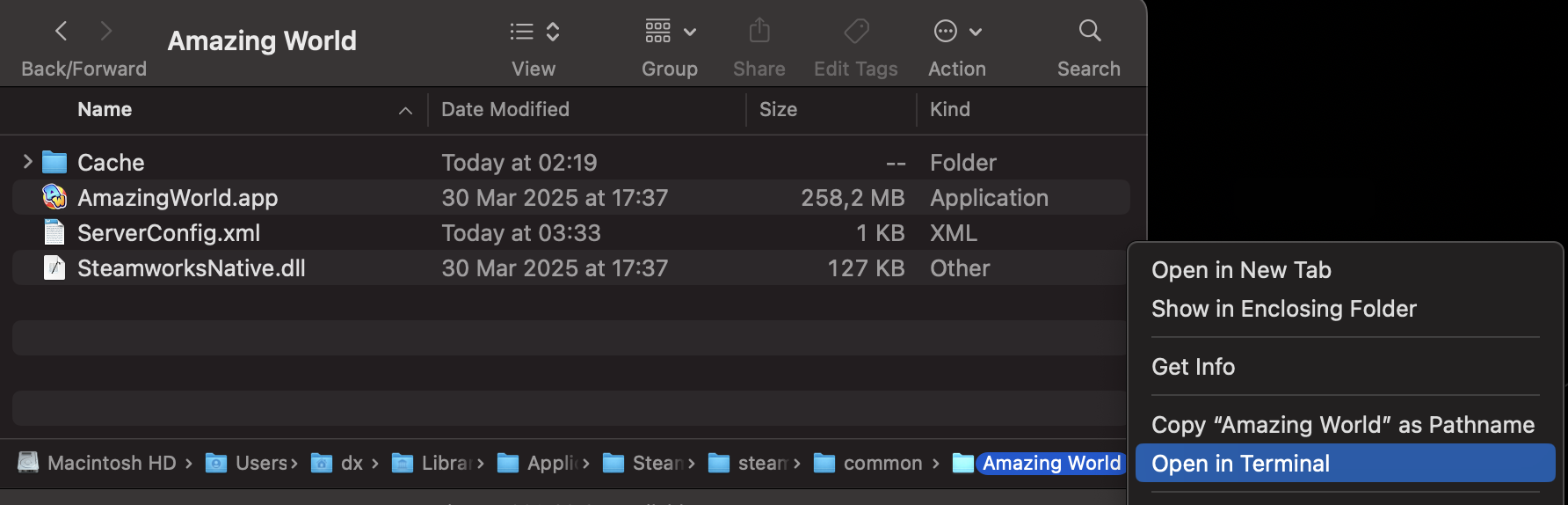
- Paste the following command into Terminal and press Enter.
curl -fsSL https://raw.githubusercontent.com/dv1x3r/amazing-core/master/tools/silicon.sh | bash
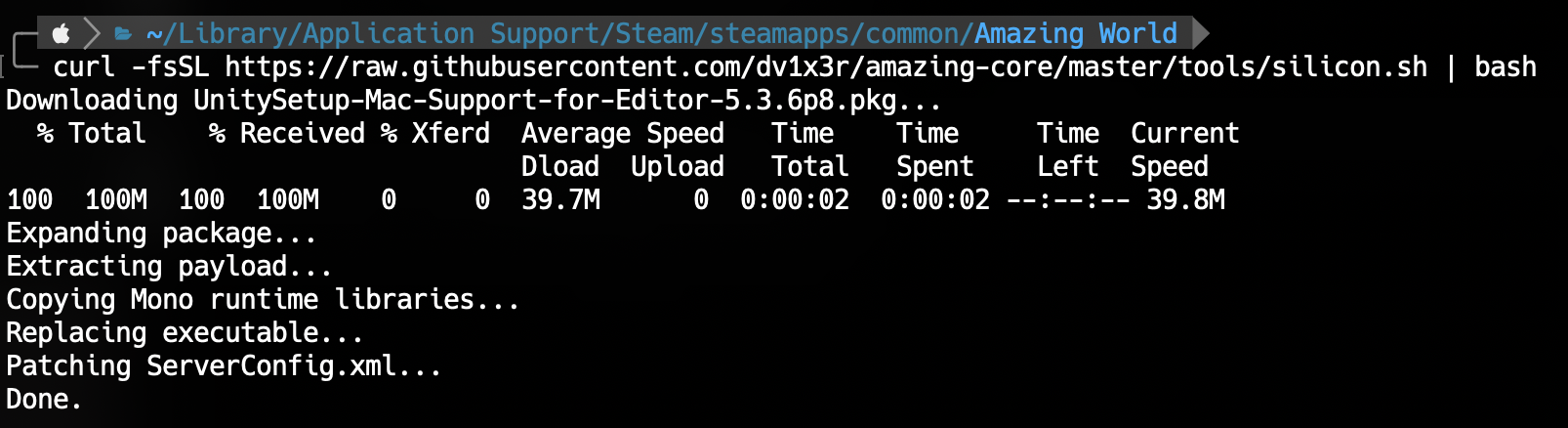
- Once the patcher has finished, you can launch the game normally!
You can also patch the game manually by following this guide.
License
This project is licensed under the GNU AGPL v3.
Amazing World™ is a registered trademark of Ganz. Amazing Core is an unofficial, fan-made project intended for personal and educational use only. It is not affiliated with or endorsed by Ganz or Amazing World™ in any way.